Know who has paid, who is behind, and who was in class.
One system for enrolments, monthly fees, attendance, timetables and teacher pay — built around how a centre actually runs.
Works in any browser · Nothing to install · Your records stay separate from every other centre's
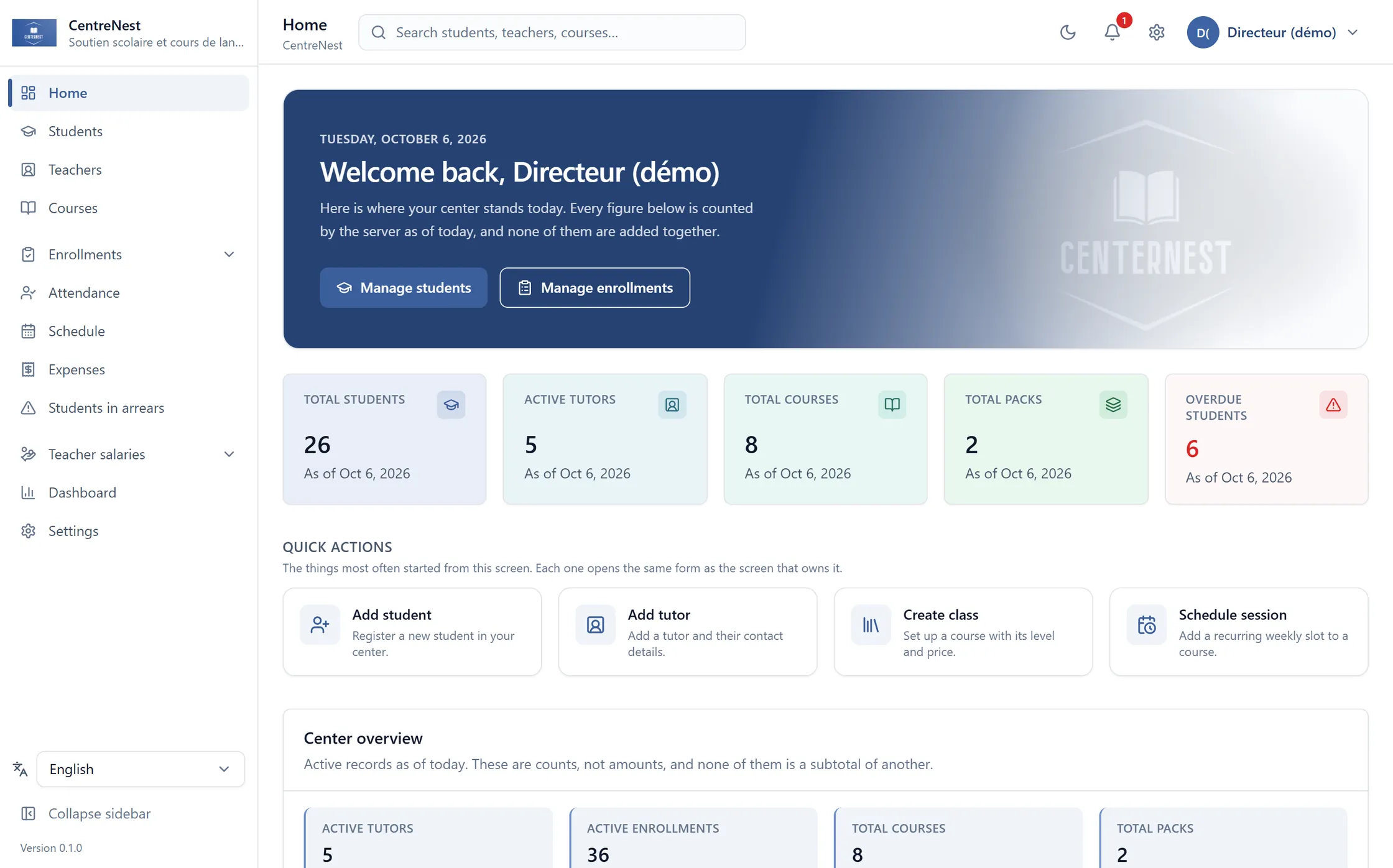
The home screen of a demo centre. This is the application itself, not a mock-up.
- English, Français, العربية
- Any currency, your own receipts
- Export all your data, anytime
- 30 days free, no card
Where the week actually goes.
None of this is about software. It is what a centre spends its evenings on when the records live in a notebook and three spreadsheets.
- Payments that don't add up
- A receipt was written. Which month it covered becomes a conversation three weeks later.
- Finding out too late
- Someone stopped paying in September and nobody notices until November. Two months, gone quietly.
- Registers nobody can find
- The sheet was signed. It is in a folder, in a classroom, and the parent is on the phone now.
- A timetable in four versions
- The one on the wall, the one in the group chat, the one the teacher remembers, and the real one.
- Commission worked out by hand
- Every month, from whichever receipts can still be found — and nobody can show the working.
- No clear view of the month
- Income in one book, expenses in another, and neither of them says whether the centre made money.
You did not open a centre to spend your evenings reconciling a spreadsheet.
One system, seven jobs it does every day.
Each of these is a screen in the application, not a plan. The rest of this page proves them one at a time.
Dashboard
Where the centre stands today.
Students & teachers
One file each, shared by the office.
Timetable
The whole week on one screen.
Payments
Partial payments tracked to the month.
Reports
Collected, owed and spent.
Permissions
Twelve modules, granted per user.
Reminders
Chase arrears on WhatsApp.
The product
Built around how a centre actually works.
Not a generic admin tool with the word “school” written on it. Every screen below is in the application today.
Payments & arrears
Know exactly who has paid.
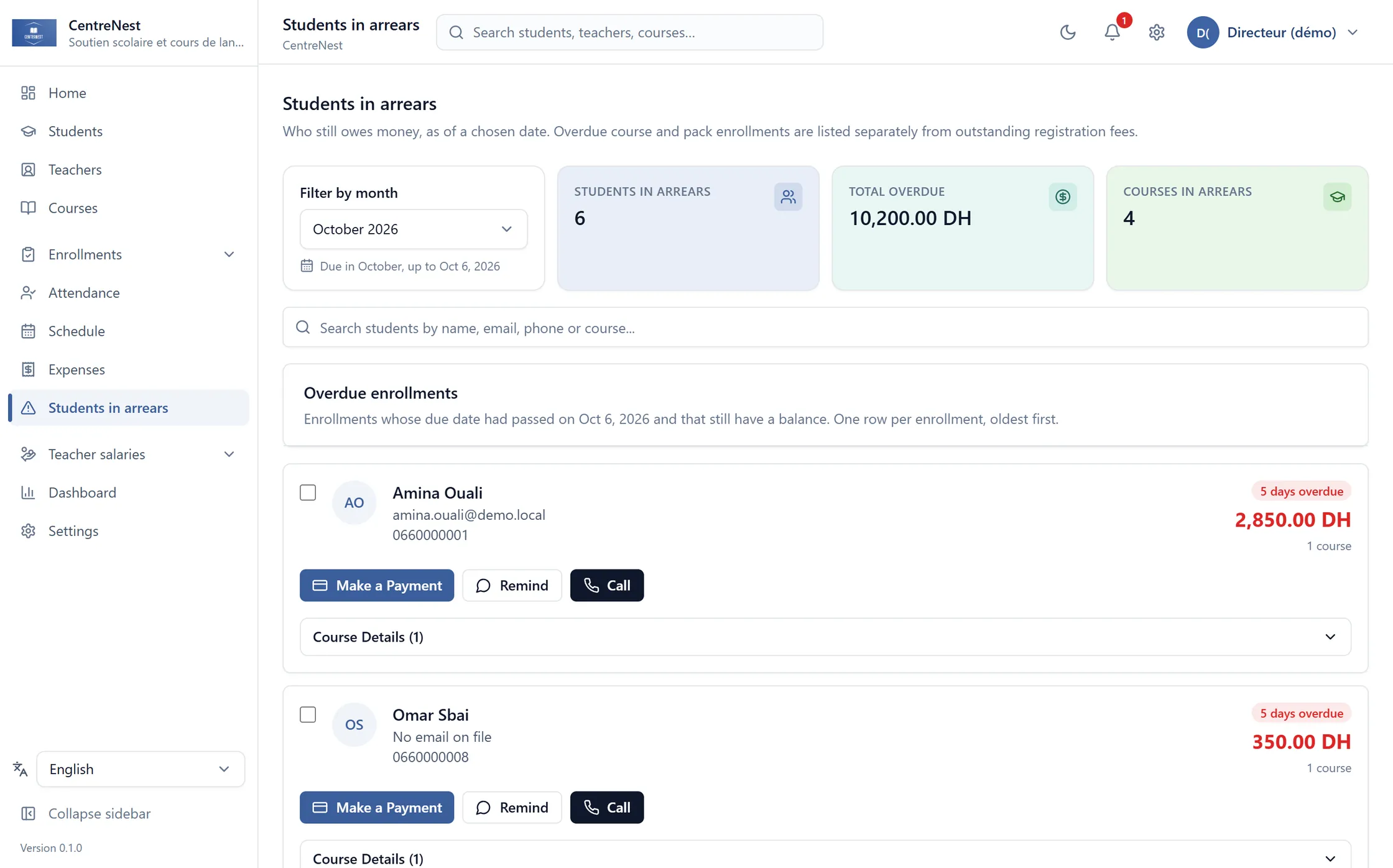
Set what an enrolment costs and the day of the month it falls due. From then on the charge appears on its own, every payment settles the oldest month still open, and whoever is behind sits on one screen with their phone number beside them.
- Monthly charges generated for you — nobody types them in.
- A payment settles the oldest unpaid month first, and shows you which.
- A snapshot of who owed what, as of any date you ask for.
Students & teachers
Keep every file in one place.
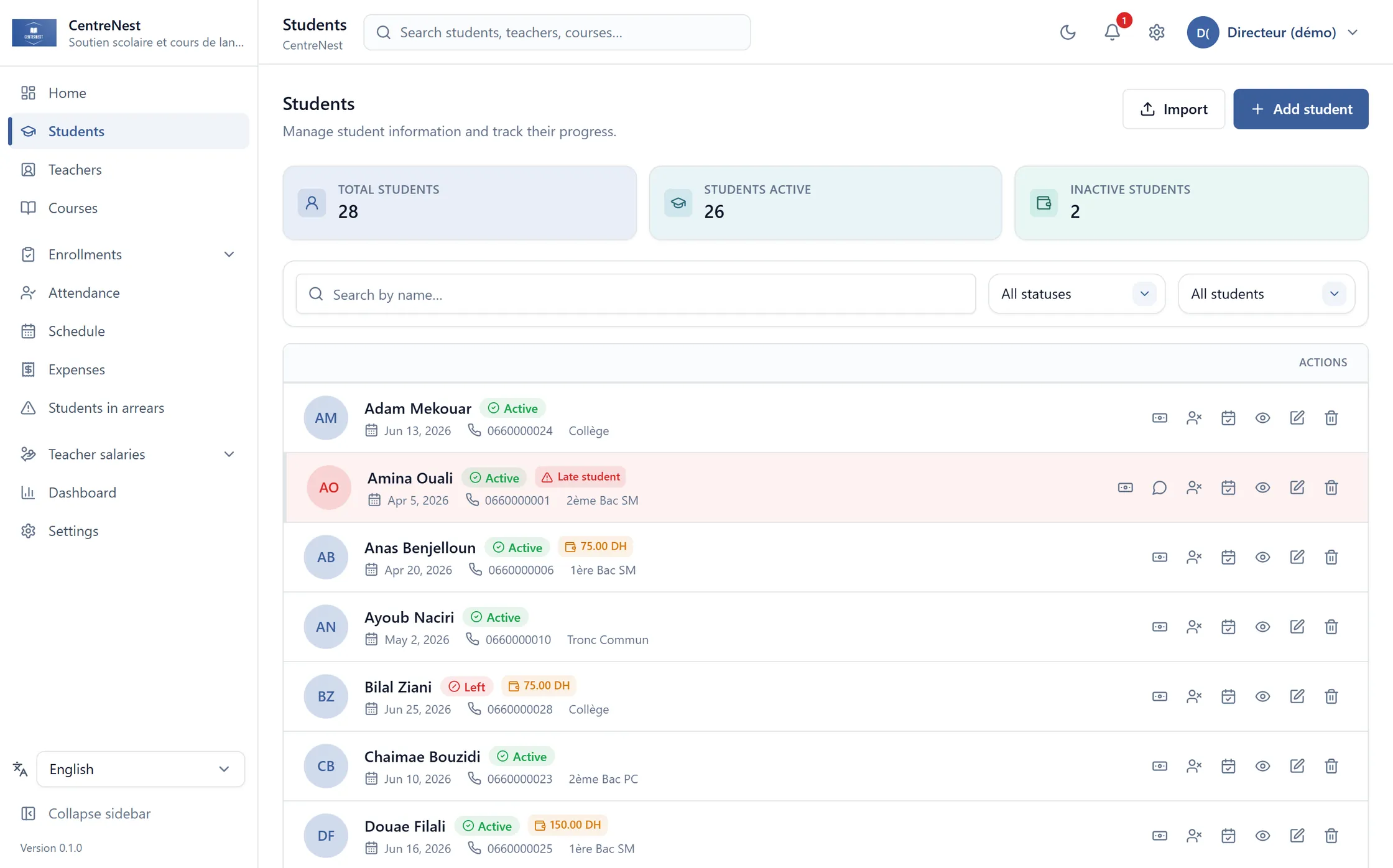
Students, guardians, levels, registration fees, teachers and their pay model — one record each, searchable, and shared by everyone in the office who is allowed to see it.
- One file per student, with their enrolments and payment history on it.
- Academic level, guardian numbers and registration fees on the same screen.
- Bring your existing lists in from Excel, previewed before anything is written.
Attendance
See today's attendance at a glance.
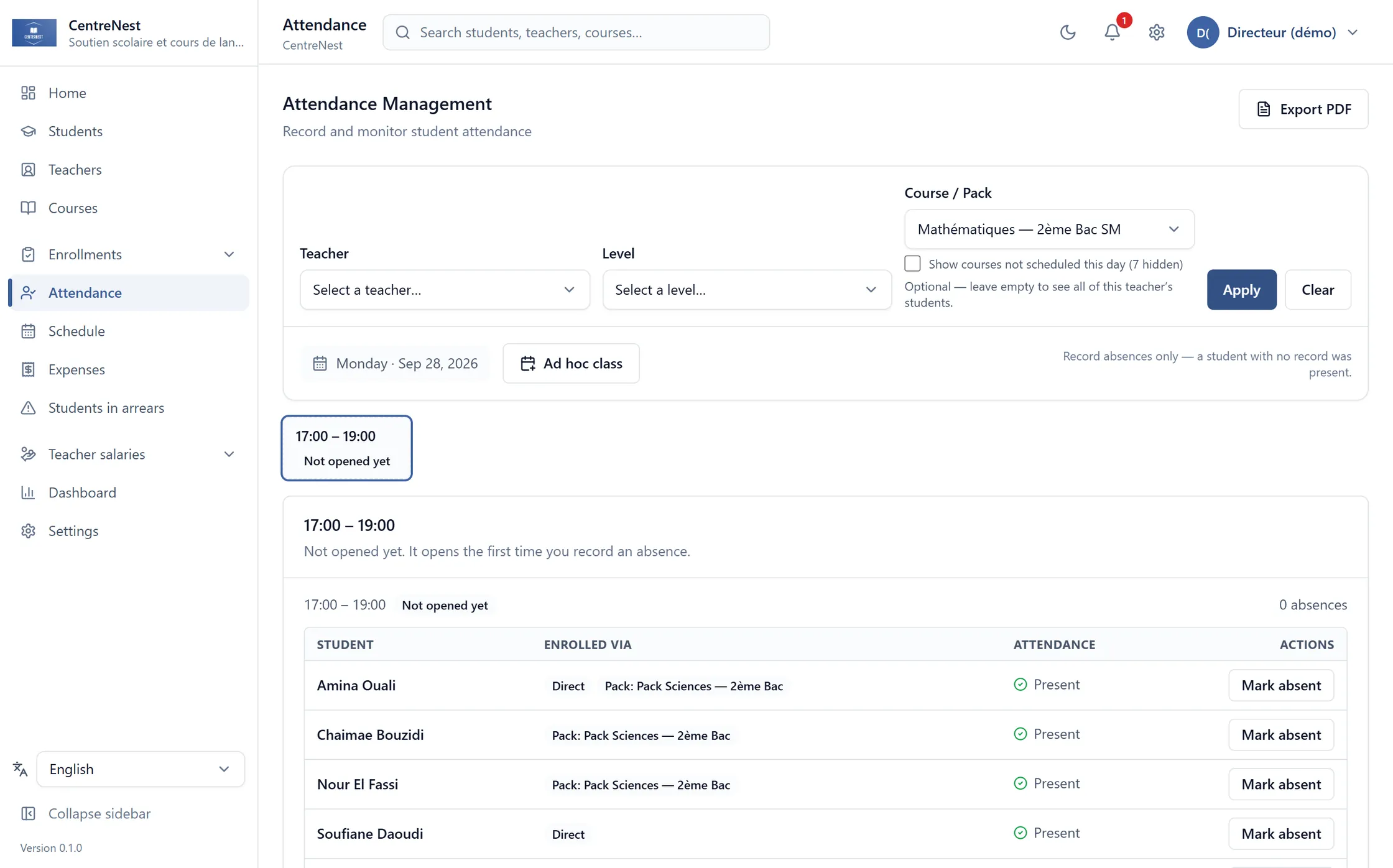
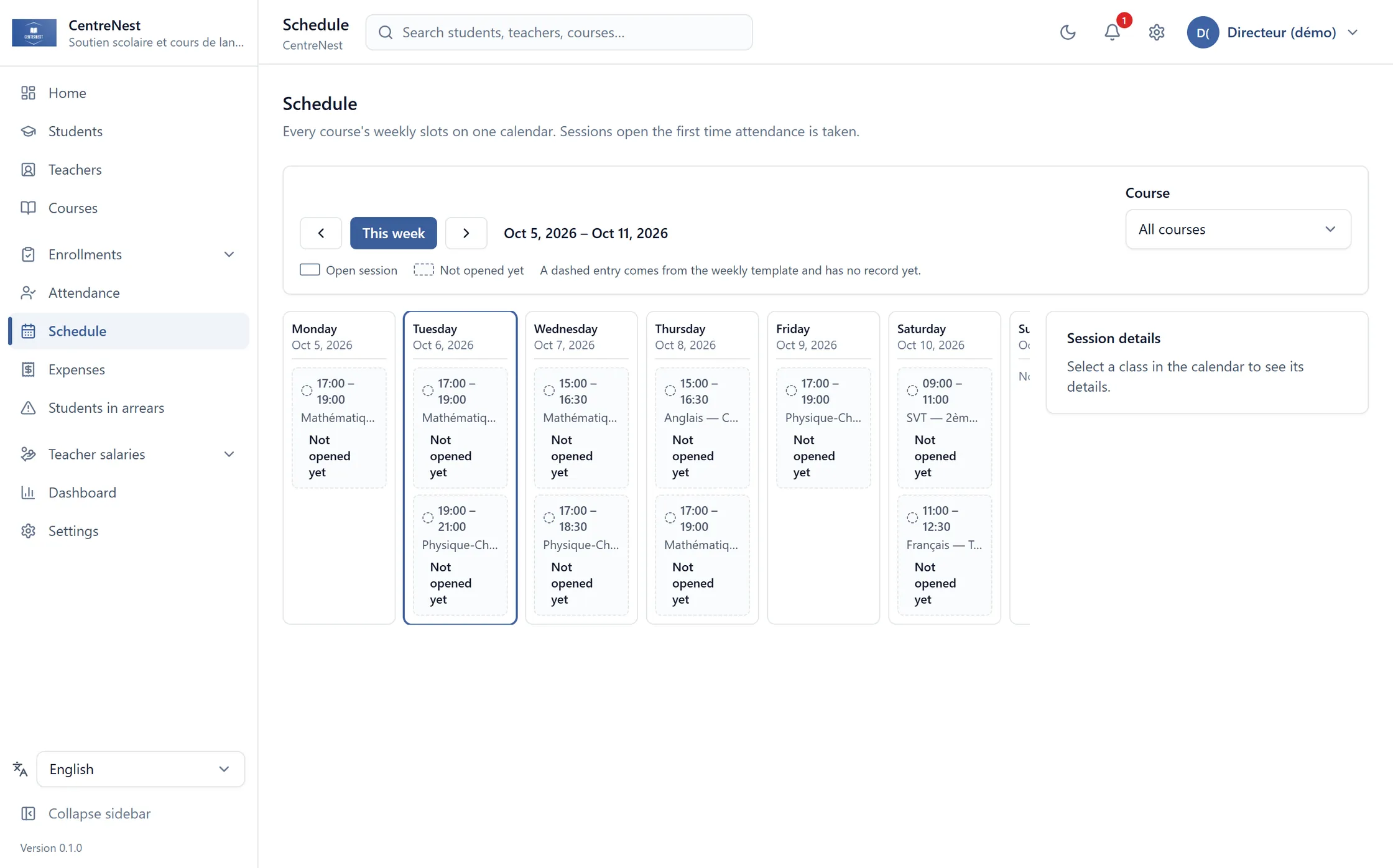
Each course's weekly slots are set once and projected forward. Marking a class means noting who was missing — the register is built from the timetable rather than written out again every week.
- Only students enrolled in that course appear in its session.
- Absence is the exception, so absence is what you mark.
- A month's register you can print and file.
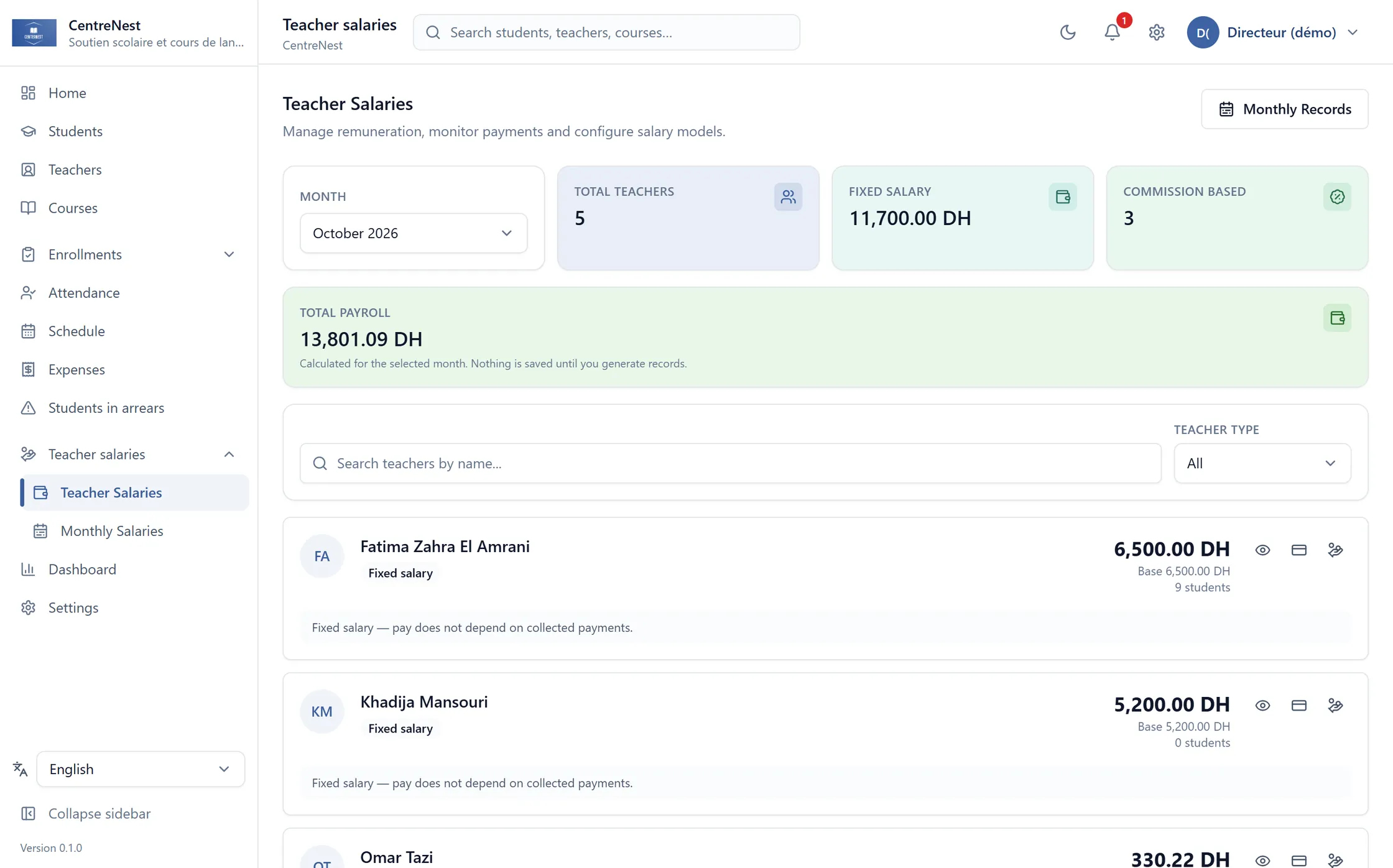
Teacher pay
Pay teachers without redoing the maths.
A fixed salary, a percentage of what their courses collected, or both. The month is computed from the payments that actually arrived and then frozen, so last March still reads the way it read last March.
- Fixed salary, commission, or both — set per teacher.
- Every bit of commission traced back to the payment it came from.
- A paid month is a snapshot, not a figure that quietly changes later.
On the same system
Build the schedule without spreadsheet chaos.
The whole centre's week on one screen, with every course's weekly slots in it.
Everything else
The rest of the centre, on the same system.
Granted per user: a secretary can hold students and payments without ever seeing payroll.
Students
Files, levels, guardian numbers, registration fees.
Teachers
Pay model, rates, and the courses they hold.
Courses
Price, teacher, weekly slots, capacity.
Packs
Several courses at one price, with its own commission rate.
Enrolments
Who is in what, since when, at what monthly price.
Payments & receipts
A ledger per enrolment and a receipt you can print.
Expenses
Rent, supplies, salaries — against the month's income.
Timetable
The whole centre's week on one screen.
Reports
Collected, owed and spent, by month or by year.
Users & permissions
Twelve modules, granted one at a time.
Excel import
Bring the lists you already keep, with a preview first.
Archive
Nothing disappears by accident; archived records come back.
Getting started
Your path to a month that adds up.
No installation, no migration project, no consultant.
- 01
Create your centre
An email address and a password. Your records are separate from every other centre's from the very first row.
- 02
Bring your lists in
Upload the Excel file you already keep. You see every row that will be created, and every row with a problem, before anything is written.
- 03
Let the month run
Charges appear on the day you chose, payments settle the oldest month first, and whoever is behind is on one screen the next morning.
Pricing
Simple pricing, per centre.
Pick the tier your centre is in today. Move up when you outgrow it, down when a term ends.
Save 17% yearly · 30 days free, no card
Starter
Up to 150 active students
$15.83/ month$190 billed once a year — you keep $38.
Start free- Students, teachers, courses and packs
- Monthly fees generated automatically
- Who is behind, as of any date
- Attendance and the weekly timetable
- Receipts and printable registers
- 3 users, with per-module permissions
- Most centres
Centre
Up to 500 active students
$40.83/ month$490 billed once a year — you keep $98.
Start free- Everything in Starter
- Teacher pay and commission, with the audit trail
- Reports by month and by year
- Excel import for students and enrolments
- Unlimited users
- Support by email and WhatsApp
Group
Unlimited students
$82.50/ month$990 billed once a year — you keep $198.
Start free- Everything in Centre
- No cap on students or enrolments
- Priority support
- We import your existing records with you
Prices in US dollars, per centre. Sales tax is added at checkout where it applies. The trial is the full product with your own data in it — no feature is held back, and nothing is charged until you decide to keep it.
Questions
What centres ask first.
Before moving a centre's records onto anything, these are the questions that come up.
- Can I bring in the students I already have?
- Yes. Students and enrolments import from Excel or CSV, and you see exactly what will be created — row by row, with the problems flagged and the first month's charges forecast — before anything is written.
- Does anything need installing?
- No. It runs in a browser, on whichever computer, tablet or phone is in front of you.
- Who can see payments and salaries?
- Only the users you grant those modules to. Permissions are per user and per module, and the server enforces them — not just the menu.
- Is my centre's data mixed with other centres'?
- No. Every record belongs to exactly one centre, and every query is restricted to the centre of the person asking it.
- Can my staff work in Arabic?
- Yes. Each user picks French, Arabic or English for themselves, and Arabic mirrors the entire interface right to left — not just the labels.
- Can I get my data back out?
- Yes. Teacher, course and enrolment lists export to Excel or PDF, registers and receipts print, and nothing is held in a format only this application can read.
Start with your real students, *not a sample.*
Create your centre, import the list you already keep, and watch this month's charges appear.